
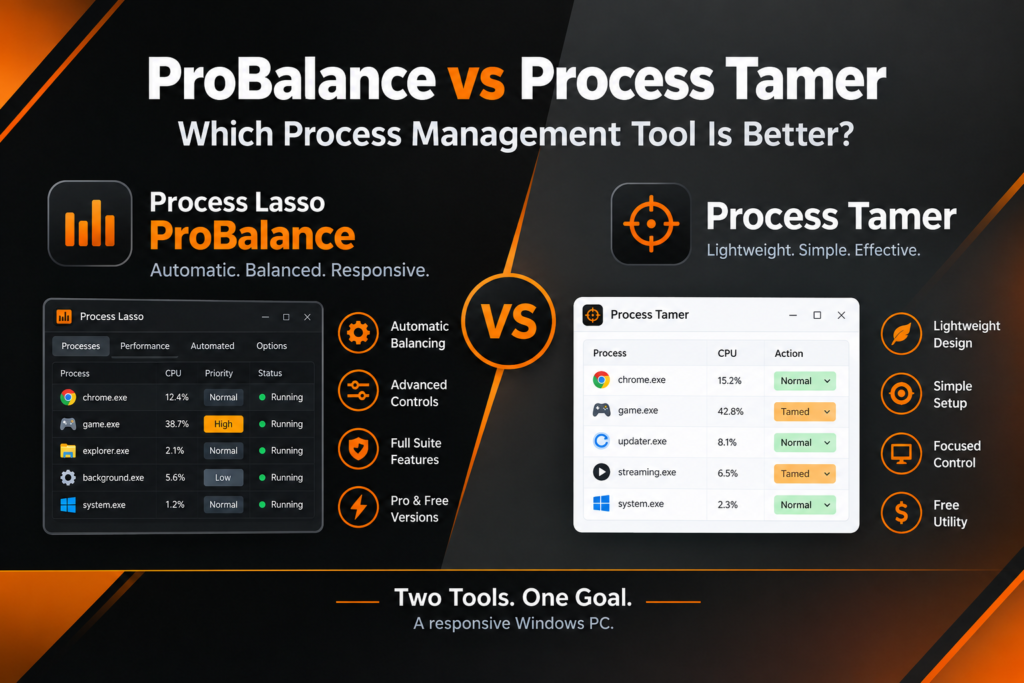
Process Lasso ProBalance vs Process Tamer: Quick Comparison
|
Factor |
ProBalance (Process Lasso) |
Process Tamer |
|---|---|---|
|
Type |
Feature inside a full process-management suite |
Standalone lightweight utility |
|
Approach |
Automatic balancing of process priorities |
Monitors CPU usage and reacts to hogs |
|
Automation |
High — works continuously once enabled |
Moderate — rules you configure, then it watches |
|
Scope |
Priorities, affinities, power, automation rules |
Focused on taming CPU-heavy processes |
|
Ease of use |
More options to learn |
Simpler, minimal setup |
|
Availability |
Part of Process Lasso (Free and Pro) |
Free standalone utility |
In one line
ProBalance is the automated, full-featured approach inside a larger toolkit; Process Tamer is the simpler, single-purpose alternative.
What Are Process Lasso ProBalance and Process Tamer Designed For?
ProBalance Purpose
ProBalance exists to keep Windows responsive without you thinking about it. It watches for processes consuming excessive CPU during contention and automatically adjusts their priorities downward — temporarily and intelligently — so the rest of the system keeps breathing. It is designed as a set-and-forget guardian: install it, leave it on, and forget it exists until the day a runaway process would otherwise have frozen your PC.
Process Tamer Purpose
Process Tamer was built around a narrower job: monitor running processes, spot the ones eating excessive CPU, and step in to reduce their resource usage. Its philosophy is reactive and transparent — you define what counts as misbehavior and how the tool should respond, and it enforces your policy. It appeals to users who want a small, understandable tool doing one job rather than a suite doing many.
Process Lasso ProBalance vs Process Tamer: Key Differences
The differences come down to five things:
01
Automation level
ProBalance is highly automated — its balancing logic runs continuously with minimal configuration. Process Tamer is configured automation: you set the thresholds and responses, then it watches.
02
Process handling approach
ProBalance dynamically rebalances priorities across the system during contention. Process Tamer focuses on identifying and restraining individual CPU hogs.
03
User control
Process Lasso exposes a deep bench of controls around ProBalance — exclusions, rules, affinities, power automation. Process Tamer keeps the control surface small and direct. To understand how persistent settings extend the Process Lasso ProBalance vs Process Tamer comparison, explore how Process Lasso rules automate priorities and other process settings across application launches.
04
Background management
ProBalance is one part of Process Lasso’s always-on management (alongside its other automation). Process Tamer sits quietly in the tray doing its single job.
05
Configuration requirements
ProBalance works well out of the box; Process Tamer asks you to define its taming rules upfront.
Feature Comparison: ProBalance vs Process Tamer
Feature 01
Automatic Process Management
ProBalance handles demanding processes on its own logic: detect contention, rebalance, restore — no per-process setup needed. Process Tamer automates the response you designed: when a process crosses your configured CPU threshold, it applies your configured restraint. Both are ‘automatic’ after setup; they differ in who designs the response — the algorithm, or you. Another useful distinction in the Process Lasso ProBalance vs Process Tamer comparison is how CPU Limiter applies usage-based restrictions when a process exceeds configured thresholds.
Feature 02
User Control
Process Lasso gives you manual control over nearly everything: per-process priorities, affinities, instance limits, power plans, and ProBalance’s own exclusions. Process Tamer gives you control over its specific domain: which processes to watch, what counts as excessive, and what to do about it. More control versus more focused control. Beyond the features covered in this Process Lasso ProBalance vs Process Tamer comparison, learn how CPU Sets and CPU Affinity provide different ways to control where applications can run.
Feature 03
Ease of Setup
Installing either takes minutes. ProBalance starts protecting the system with defaults almost immediately — the learning curve comes later, when you explore the surrounding features. Process Tamer’s setup is front-loaded but simple: define your rules once, and daily usage is essentially invisible.
Feature 04
Long-Term Management
After setup, ProBalance keeps adapting on its own as your workload changes — new programs, new games, new background tasks all fall under the same balancing logic. Process Tamer keeps enforcing the policy you wrote; when your usage changes significantly, you revisit the rules. One adapts, the other persists.
How ProBalance and Process Tamer Handle Resource Management
Both tools monitor applications and respond when processes consume excessive resources, but the response philosophies differ. ProBalance treats contention as a system-wide balancing problem: when the CPU is oversubscribed, it temporarily lowers the priority of the offenders so everything else — your foreground app, the interface, background services — keeps moving. Process Tamer treats it as a per-process discipline problem: identify the hog, apply the configured restraint to that specific process.
This behavior relates to how Windows schedules threads according to their priority levels. Microsoft’s documentation on Windows Scheduling Priorities explains how process priority classes and thread priorities influence CPU scheduling.
⚖ How it feels in practice
Those approaches can produce different-feeling results. ProBalance’s rebalancing tends to feel invisible — the system just stays usable. Process Tamer’s intervention is more legible — you configured exactly what happens to misbehaving processes, and you can see it happen. Neither is objectively superior; they reflect different ideas about who should be in charge. If you’re evaluating Process Lasso ProBalance vs Process Tamer, this guide to changing process priority in Task Manager provides useful context on Windows’ built-in controls.
Process Lasso ProBalance vs Process Tamer Performance Comparison
01 · Everyday load
System Responsiveness
Both aim to keep Windows usable under load. ProBalance does it by continuously rebalancing priorities during contention, which helps across whatever mix of programs you happen to be running. Process Tamer does it by clamping down on the specific processes you told it to watch. In practice, both reduce the classic symptom — one greedy process freezing everything else — through their respective mechanisms.
02 · Many apps at once
Multitasking Workloads
With many applications open — browsers with dozens of tabs, background tasks, a game or editor in front — ProBalance’s system-wide view is its strength: it arbitrates among all of them without per-app configuration. Process Tamer handles the same scenario through the rules you wrote for the usual suspects. If your troublemakers are predictable, Tamer’s targeted approach is efficient; if they vary day to day, ProBalance’s generality wins.
03 · Renders & compiles
Heavy Applications
For resource-intensive software and long-running tasks like renders or compiles, the question is whether the tool gets in the way. ProBalance is designed to recognize legitimate heavy work and avoid punishing it blindly — and you can exclude specific processes regardless. With Process Tamer, you achieve the same by configuring your rules to leave known-good heavyweights alone. Either way, the principle holds: tell the tool what legitimate work looks like. And as always, avoid claiming — or expecting — guaranteed speed increases from any process manager; they improve contention behavior, not hardware speed.
Process Lasso ProBalance vs Process Tamer Gaming Comparison
Gaming while background processes run is the scenario both tools were born for. ProBalance keeps the game’s CPU access steady by automatically restraining background interference — no per-game setup required. Process Tamer achieves a similar end through rules you configure for the background apps you know cause trouble. Results depend on the game, the hardware, and what else is running; neither tool changes what your GPU can render.
🎮 Many games, zero setup
If you want zero-configuration protection across every game you own, ProBalance’s automation is the easier path.
🎯 A few games, known culprits
If you play one or two games and know exactly which background apps misbehave, Tamer’s rules are perfectly adequate.
Process Lasso ProBalance vs Process Tamer Windows Compatibility
Both are Windows utilities, and both are at home on modern Windows versions including Windows 10 and 11. The practical difference is maintenance tempo: Process Lasso is under active development with regular updates tracking Windows changes, while Process Tamer is a mature, long-stable utility that changes rarely. If you value a tool that evolves with each Windows release, that distinction matters; if you value a tool that simply keeps working unchanged, it matters in the other direction.
Process Lasso
Active development
Process Tamer
Mature & long-stable
Ease of Use: Process Lasso ProBalance vs Process Tamer
Process Lasso ProBalance
More features, more control, more options — and correspondingly more to learn. The good news is that ProBalance itself needs little learning: it works from defaults. The complexity lives in the surrounding suite, which you can explore gradually or ignore entirely. For readers comparing Process Lasso ProBalance vs Process Tamer, Registry Enforced Priorities explains another way Windows process priorities can be configured and maintained.
Process Tamer
Simpler approach, less complexity, smaller surface area. You learn the whole tool in an afternoon because there is simply less of it. For users who find full suites overwhelming, that minimalism is the feature.
Process Lasso ProBalance vs Process Tamer Pricing and Availability
Process Lasso is available in Free and Pro versions — ProBalance itself works in the free version, with Pro adding the broader advanced feature set. Process Tamer has long been distributed as a free standalone utility.
The value question
Rather than a detailed price table (which goes stale), the value question is simpler: ProBalance’s cost, if any, buys you into an entire process-management platform; Process Tamer costs nothing and does one job. Choose based on how much management you actually want.
Which One Should You Choose: Process Lasso ProBalance or Process Tamer?
Choose Process Lasso ProBalance If:
Choose Process Tamer If:
Common Questions About Process Lasso ProBalance and Process Tamer
⚖ THE BOTTOM LINE
Final Verdict: Process Lasso ProBalance vs Process Tamer
Both tools solve similar problems differently. ProBalance is the better fit for users wanting a complete, automated solution — it balances the whole system with minimal setup and keeps adapting as workloads change. Process Tamer suits users who want a simpler, lightweight approach to known CPU hogs with full transparency over what it does. The final choice depends on your needs: automation and breadth, or simplicity and focus. Either way, you end up with a PC that stays responsive when processes misbehave — which was the whole point.
Disclosure
This is an independent comparison and is not affiliated with or endorsed by Bitsum LLC (developer of Process Lasso) or the developer of Process Tamer. All trademarks belong to their respective owners.